
 WDC Pos
 Sales Hub
 Product Hub
 Inventory Management
 Whatsapp Marketing
 Browser Notification
 Email Marketing
 Fusion Mail
 SMS Marketing
 Fusion SMS
 Marketing Automation Force
Automate marketing.
Accelerate growth.
Set up powerful automation scenarios in minutes — no code required. Trigger emails, WhatsApp, SMS and more based on real customer behavior.
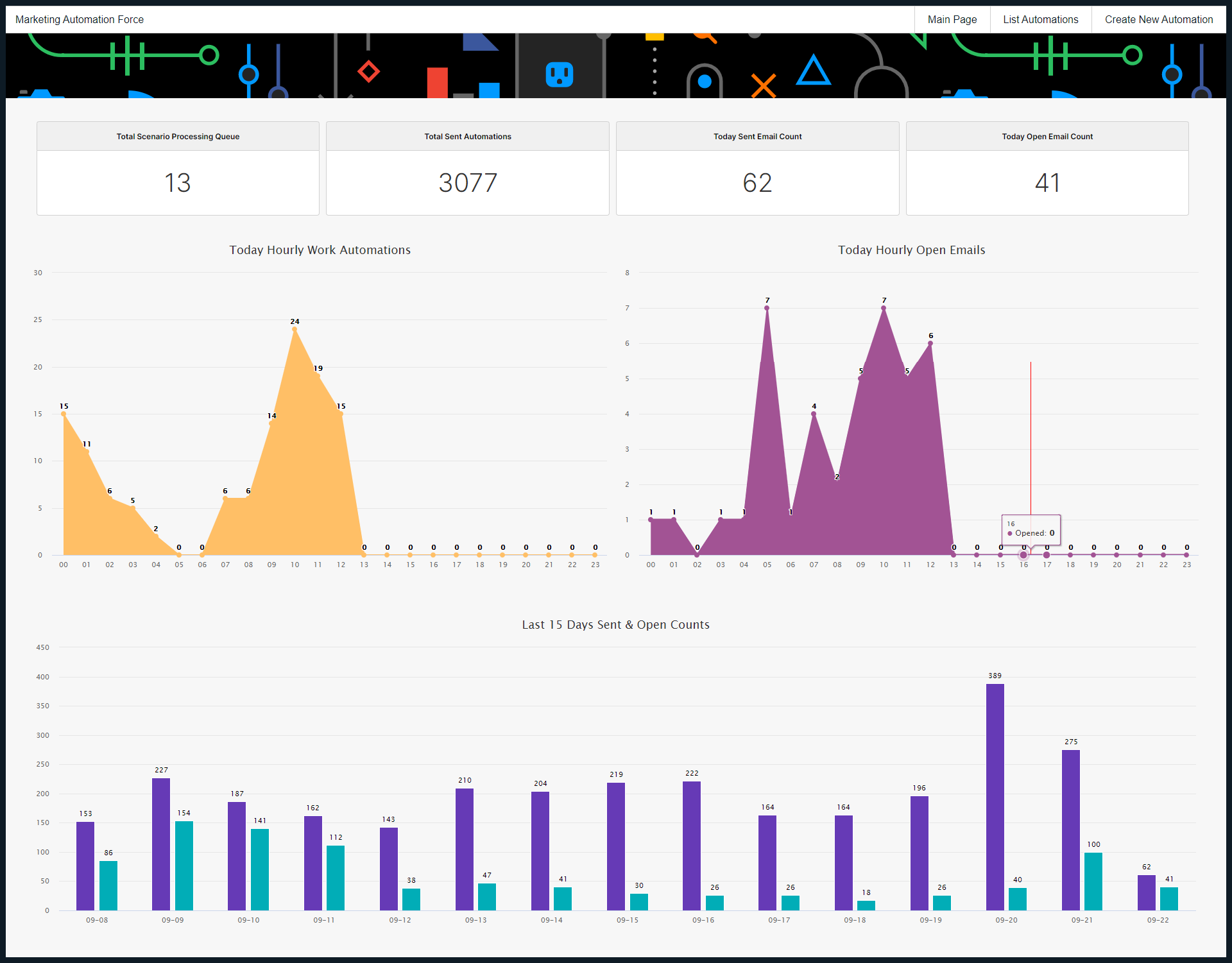
Everything you need to automate marketing
No technical knowledge required. Add the service and start building powerful automation workflows within minutes.
Live Dashboard
See today's numbers at a glance — sent emails, opens, active automations, and queue status, all in real time.
Behavior-Based Triggers
Fire automations when a group member is added, a banner is clicked, a sale arrives, an order status changes, or a dozen other real-time events.
Multi-Channel Actions
After a trigger fires, send emails, WhatsApp or SMS messages, add contacts to segments, ping a Slack channel, or call a webhook — all automatically.
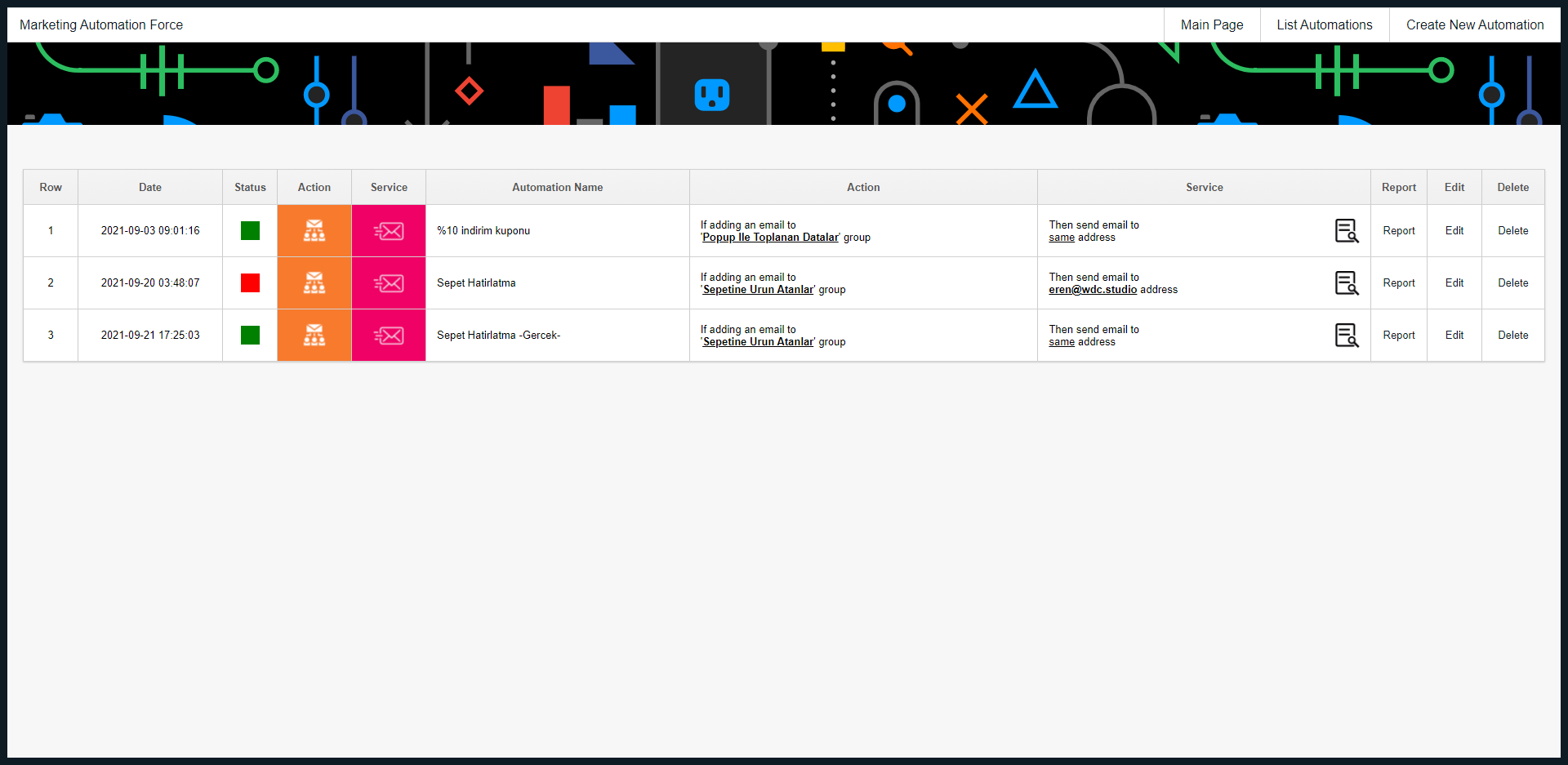
List & Manage Automations
View all your running scenarios in one place. Activate, pause, or edit any automation with a single click — no coding needed.
Detailed Reporting
Track every automation's performance — who received, who didn't, daily delivery counts, and individual contact-level lists.
Instant Setup
Extremely easy to use — any team member can build and launch new automation scenarios without any technical expertise.
Start automation, accelerate growth
One of the most critical components of modern marketing — behavioral scenarios — can be easily and quickly implemented with WDC Marketing Automation Force. At every stage of the customer journey — post-purchase, post-signup, abandoned cart, re-engagement — you can create automated workflows to fully optimize your processes.
With its advanced automation infrastructure, you can trigger automated notifications, email campaigns, and action-based communications based on user behavior. This allows you to reduce manual workload while delivering the right message at the right time.
You can track the effectiveness of every automation flow through clear and detailed reports, continuously improving your strategy — no technical expertise or additional personnel required.
Triggers & Actions
Choose what starts your automation and what happens next — mix and match to create any scenario your business needs.
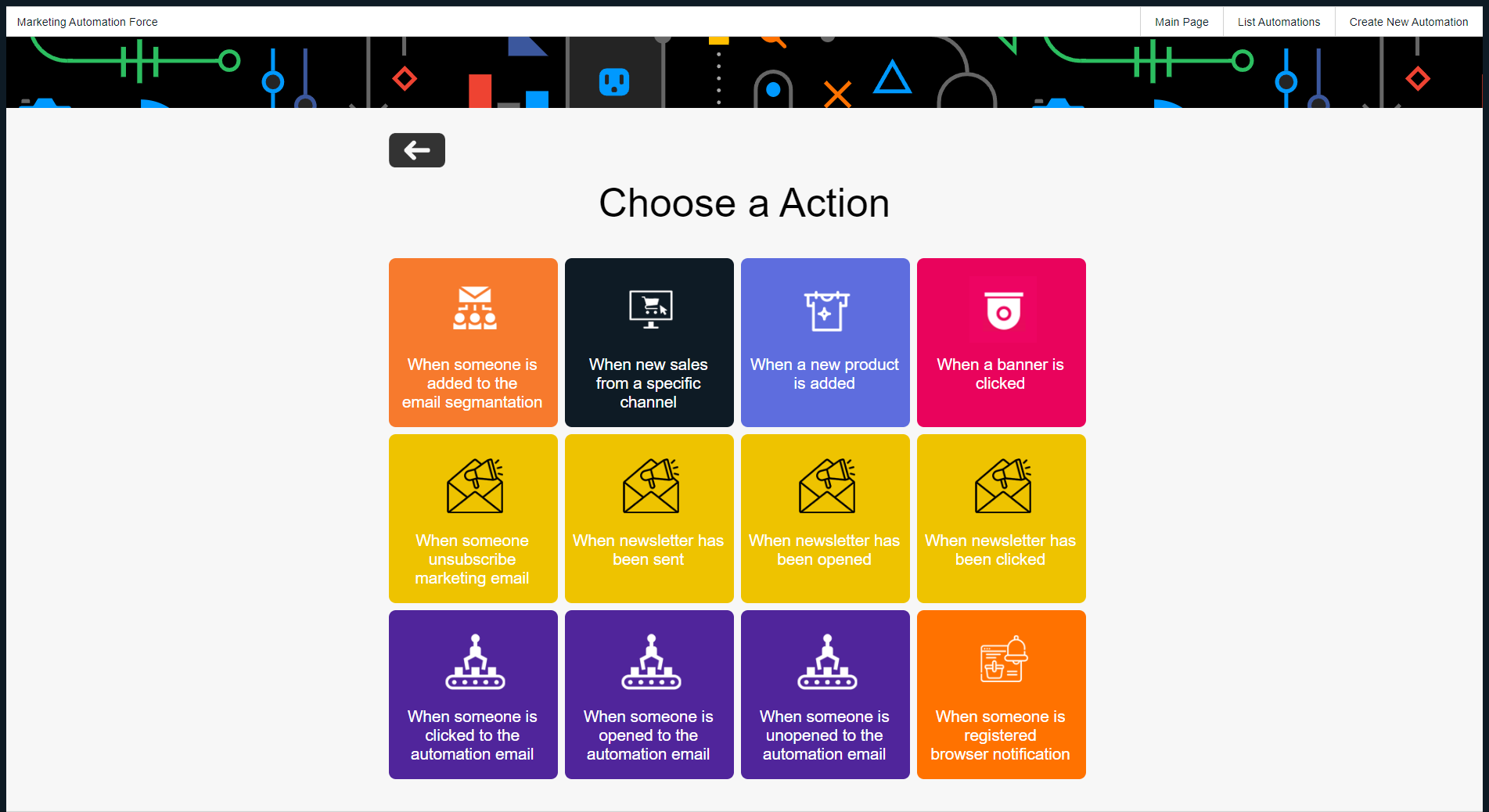
When this happens… (Triggers)
Pick the event that starts your automation
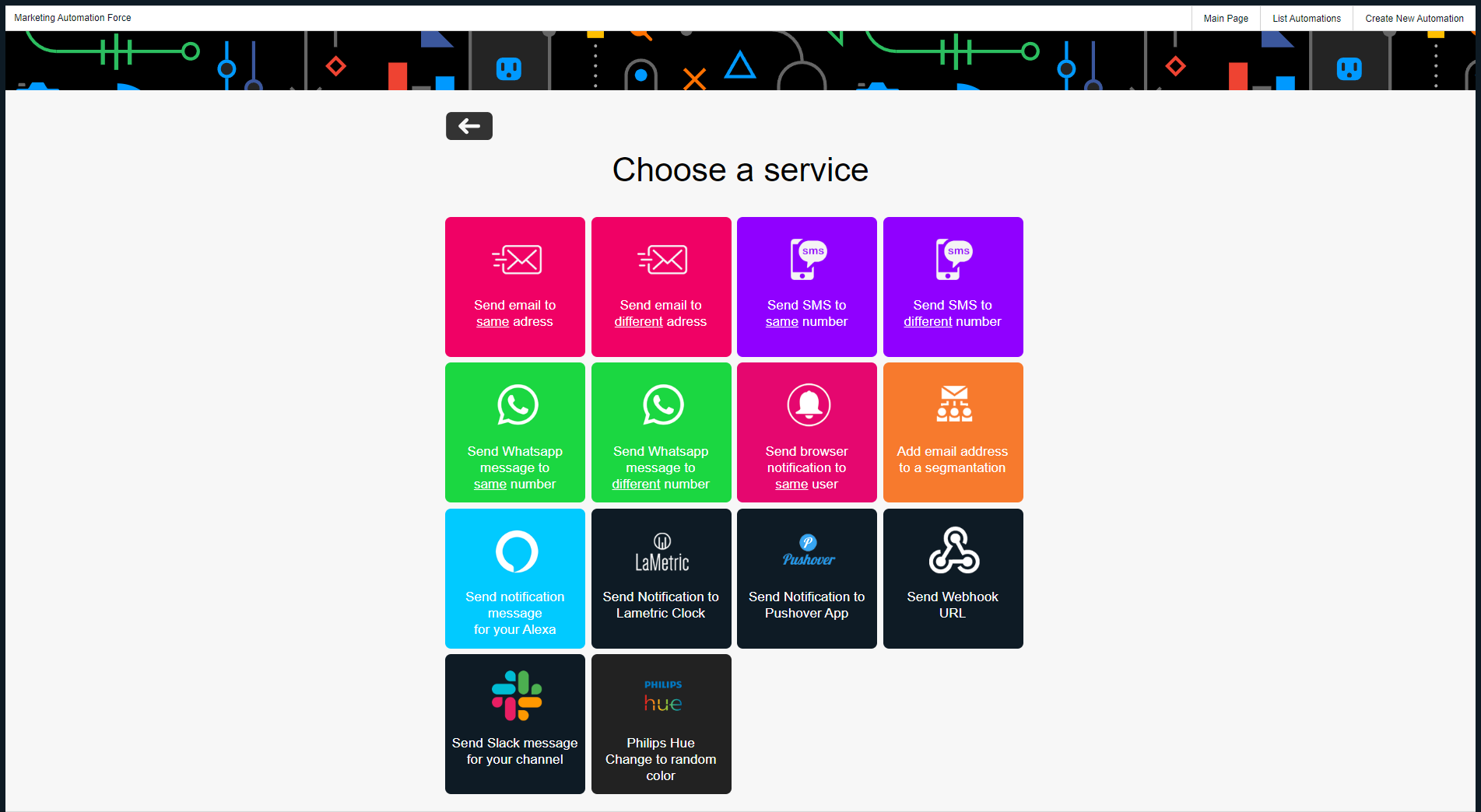
Do this… (Actions)
Define what happens after the trigger fires
Your automation KPIs, always visible
8 built-in dashboard widgets give you instant insight into how your automations are performing — every single day.
8 gadgets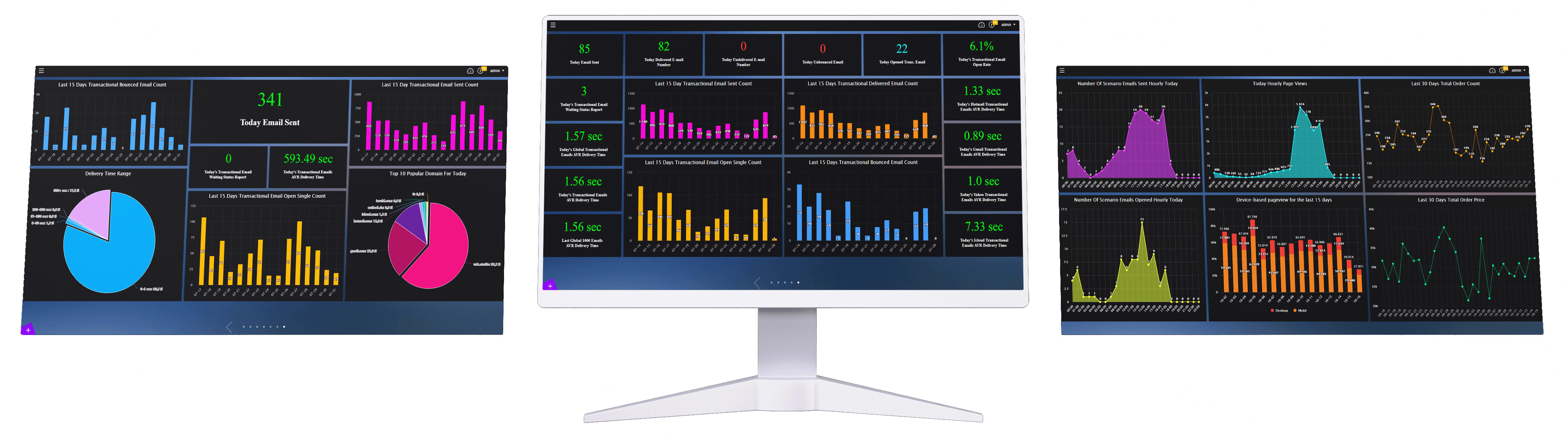


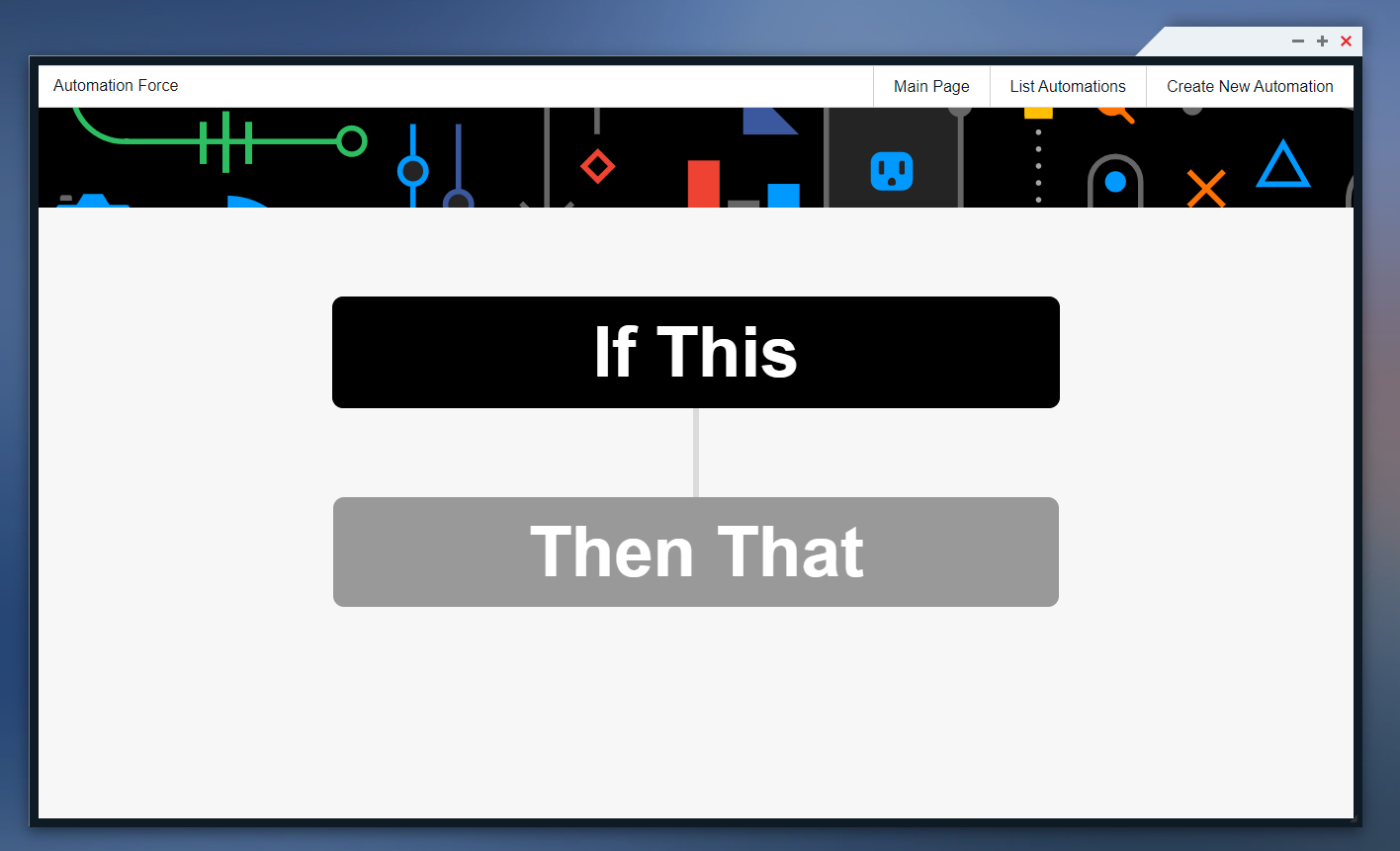
See it in action
Clean, intuitive interface designed so your whole team can build and manage automations without any training.
Frequently Asked Questions
Everything you need to know.
What is WDC Marketing Automation?+
WDC Marketing Automation is a behavior-based automation platform that helps businesses send emails, WhatsApp messages, SMS messages, and other actions automatically based on real customer behavior.
What can I automate with Marketing Automation?+
You can automate post-purchase messages, post-signup flows, abandoned cart reminders, re-engagement campaigns, order status notifications, and many other customer journey scenarios.
Do I need technical knowledge to use Marketing Automation?+
No. WDC Marketing Automation is designed so marketing teams can build and launch automation workflows without coding or technical expertise.
How do behavior-based triggers work?+
Behavior-based triggers start an automation when a specific customer action or business event happens, such as a banner click, email open, new sale, or order status change.
Which triggers are supported?+
Supported triggers include a contact being added to a group, a phone number being registered, a banner click, a new product, an email send, open or click, a new sale, an order status change, another automation, and browser notification subscription.
Which actions can be automated?+
After a trigger fires, the platform can send an email, send WhatsApp, send SMS, add a contact to a segment, post a Slack notification, or call a webhook.
Can I send automated emails?+
Yes. You can automatically send emails to the triggered contact or to another selected recipient.
Can I send automated WhatsApp messages?+
Yes. Marketing Automation can send WhatsApp messages to the contact or to another number as part of an automation flow.
Can I send automated SMS messages?+
Yes. You can send SMS messages automatically when a selected trigger occurs.
Can I add contacts to segments automatically?+
Yes. Contacts can be automatically added to specific segments based on their behavior or triggered events.
Can Marketing Automation send Slack notifications?+
Yes. The platform can post automated notifications to Slack when important customer or business events happen.
Can I trigger webhooks?+
Yes. Marketing Automation can call webhooks so you can connect automation flows with external systems and custom processes.
Can I create abandoned cart automations?+
Yes. You can create automated abandoned cart scenarios that remind customers and help recover lost sales.
Can I create post-purchase automation flows?+
Yes. Post-purchase flows can automatically send thank-you messages, order updates, product suggestions, or follow-up communications.
Can I create re-engagement campaigns?+
Yes. You can trigger re-engagement campaigns for customers who become inactive or stop interacting with your brand.
Can automations be triggered by order status changes?+
Yes. Order status changes can trigger automated notifications, emails, WhatsApp messages, SMS messages, or internal alerts.
Can automations be triggered by email activity?+
Yes. An email being sent, opened, or clicked can start another automation scenario.
Can automations be triggered by banner clicks?+
Yes. When a visitor clicks a banner, Marketing Automation can trigger follow-up actions such as messages, segmentation, or notifications.
Can another automation trigger a new automation?+
Yes. One automation scenario can trigger another scenario, allowing more advanced multi-step customer journeys.
Does Marketing Automation include a live dashboard?+
Yes. The live dashboard shows today's sent emails, opens, active automations, and processing queue status in real time.
How many dashboard gadgets are included?+
Marketing Automation includes 8 built-in dashboard gadgets for email sends, opens, automation queue, total sent automations, today's automation activity, and recent performance trends.
Can I track emails sent hourly today?+
Yes. One of the dashboard gadgets shows emails sent hourly today so teams can monitor automation volume during the day.
Can I track email opens hourly today?+
Yes. Marketing Automation includes an hourly email opens widget to show how recipients interact with automation emails throughout the day.
Can I see the last automation emails?+
Yes. The dashboard includes a gadget that shows the last 20 automation emails for quick monitoring.
Can I monitor the processing queue?+
Yes. Marketing Automation includes a processing queue widget so you can monitor automation workload and delivery status.
Does Marketing Automation provide detailed reports?+
Yes. You can track each automation's performance, including who received messages, who did not, daily delivery counts, and contact-level lists.
Can I activate or pause automations easily?+
Yes. You can view all running scenarios in one place and activate, pause, or edit any automation with a single click.
Can Marketing Automation reduce manual workload?+
Yes. It automates repetitive marketing tasks so teams can spend less time on manual work and more time improving strategy.
Can Marketing Automation improve conversions?+
Yes. By delivering the right message to the right customer at the right moment, automation can help improve engagement and conversion rates.
Can I request a demo for Marketing Automation?+
Yes. You can request a demo to see how triggers, actions, multi-channel delivery, dashboards, and reporting work together.
Works best alongside these services
Pair this service with these tools for a complete, end-to-end stack.

Email Segmentation Center
Manage all your customer data from a single platform. Create hundreds of automated segments with smart AI algorithms.
Explore →
Gift Coupon Management
Manage your store's discount coupons from a single platform. Create coupons, use them easily, and generate reports!
Explore →Latest Articles On This Topic

No-Code Marketing Automation: How Teams Launch Campaign Flows Without Developers
Launch campaign flows without developer dependency by choosing triggers, actions, segments, channels and reporting checks in one place.

Marketing Automation Reports: Measuring Delivery, Opens, Queue and Contact-Level Results
Measure automation delivery, non-delivery, daily volume, opens and contact-level results so each campaign flow can improve over time.

Automation Dashboards: Which KPIs Marketing Teams Should Watch Every Day
See which automation dashboard KPIs help teams monitor sends, opens, active scenarios, queue status and recent campaign activity.

Abandoned Cart Automation: Recovering Sales with Timely Follow-Up
Use abandoned cart automation to follow up with shoppers while intent is still fresh and track recovery performance from clear reports.

Post-Purchase Automation: Turning First Orders into Repeat Customers
Turn a completed order into better follow-up with post-purchase emails, WhatsApp updates, SMS reminders and product suggestions.

Email, SMS and WhatsApp Automation: Building Multi-Channel Customer Journeys
Build multi-channel customer journeys that use email, WhatsApp and SMS at the right moment instead of sending every message everywhere.

Webhook and Slack Automation: Connecting Marketing Events with Business Operations
Connect marketing events with internal teams and business systems through Slack notifications, webhook triggers and behavior-based flows.

Re-Engagement Automation: Winning Back Inactive Customers Without Manual Work
Plan winback flows for inactive customers with behavior signals, segmentation, respectful timing and measurable automation reports.

Behavior-Based Marketing Automation: How Triggers Turn Customer Actions into Revenue
Learn how customer actions such as banner clicks, email opens, purchases and order changes can trigger more relevant marketing flows.