 WDC Pos
 Sales Hub
 Product Hub
 Inventory Management
 Whatsapp Marketing
 Email Marketing
 Fusion Mail
 SMS Marketing
 Fusion SMS
 Browser Notification
Send browser notifications
easily to your customers
Collect subscribers straight from your website, group them by interest, and send instant web push notifications — no app, no email address required.
Everything you need to run push campaigns
Add the service, place one code snippet on your site, and you're ready to start collecting and messaging subscribers.
One Snippet, Instant Subscribers
Paste the code WDC generates for your site and start collecting browser notification subscribers right away.
Group & Target
Organize your subscribers into groups, then send push notifications to exactly the audience you want to reach.
Millions of Pushes, One Hour
Built for scale — deliver a single campaign to millions of subscribers in as little as one hour.
Full Delivery Reports
See exactly how many notifications were sent and how many were opened after every campaign.
Reach customers the instant you need to
WDC Browser Notification leverages modern browser push technology to deliver real-time notifications to your customers on both desktop and mobile devices. Without requiring any app installation, you can establish a direct and effective communication channel with your users.
With user permission, you can instantly send campaigns, announcements, and reminders — driving higher engagement and increasing return rates.
With advanced analytics, you can easily monitor how many users you gained each day, how many viewed your notifications, clicked on them, or ignored them. WDC Browser Notification enhances your digital communication with instant delivery, high visibility, and powerful reporting capabilities.
From first visitor to full inbox
Four simple steps take you from installing the code to reporting on a campaign that reached millions.
Install
Add the WDC code snippet to your website — no developer needed.
Collect
Visitors opt in with one click and become browser notification subscribers.
Segment & Send
Group your subscribers and launch push campaigns to millions within the hour.
Report
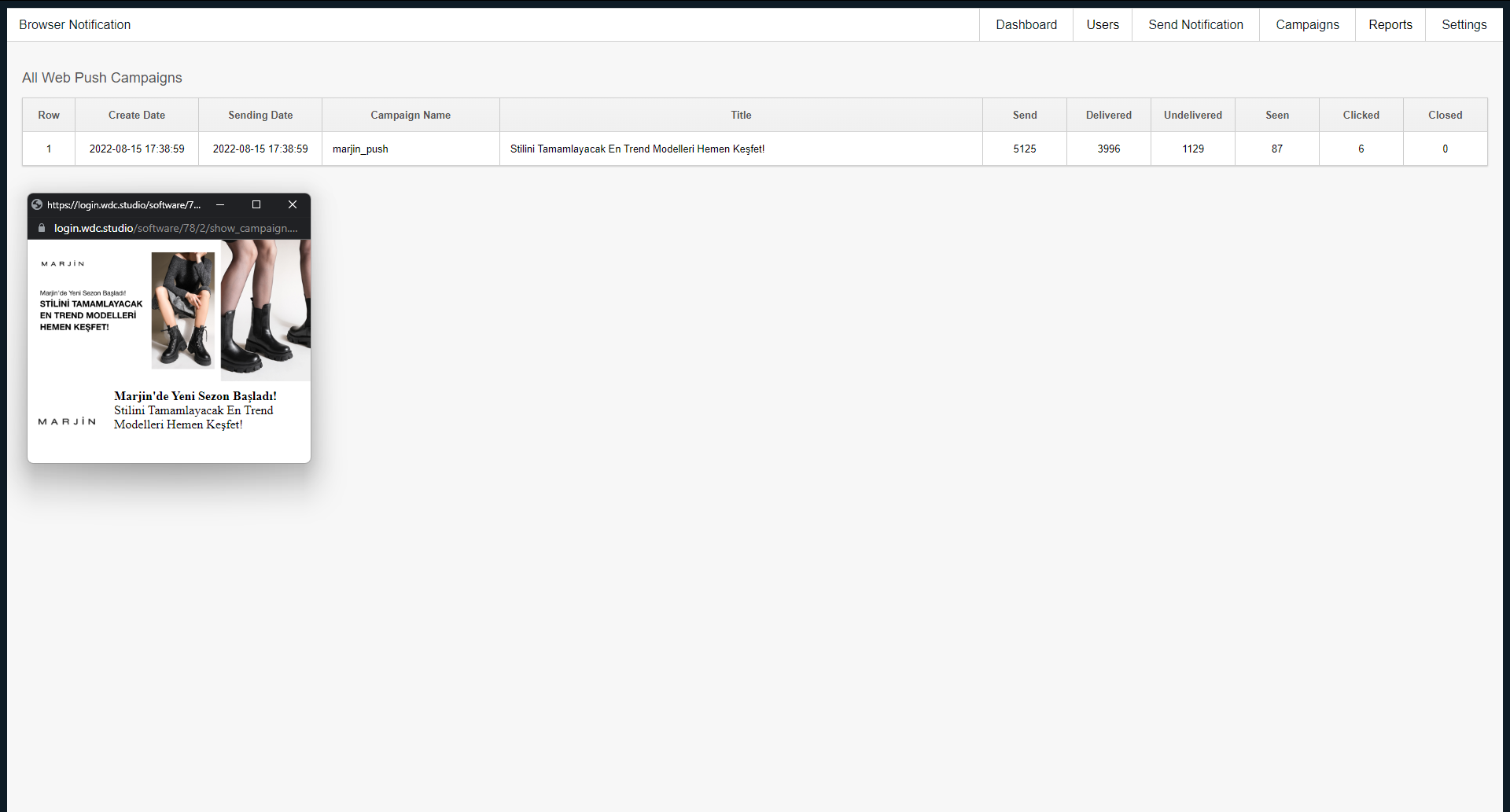
Track sent, delivered, seen and clicked counts for every campaign you run.
Your push performance, always visible
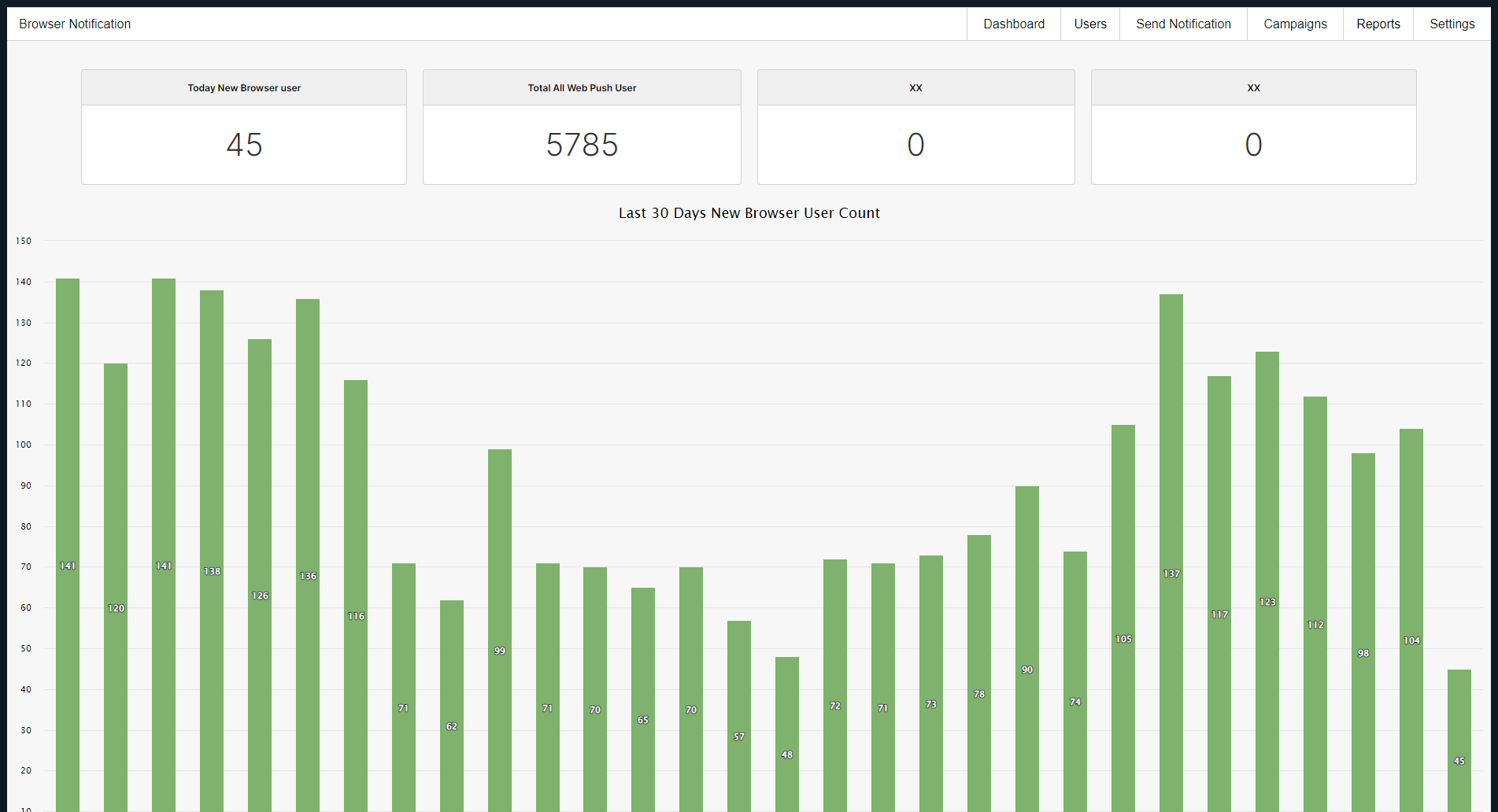
10 built-in dashboard widgets give you instant insight into subscriber growth and campaign performance — every single day.
10 gadgets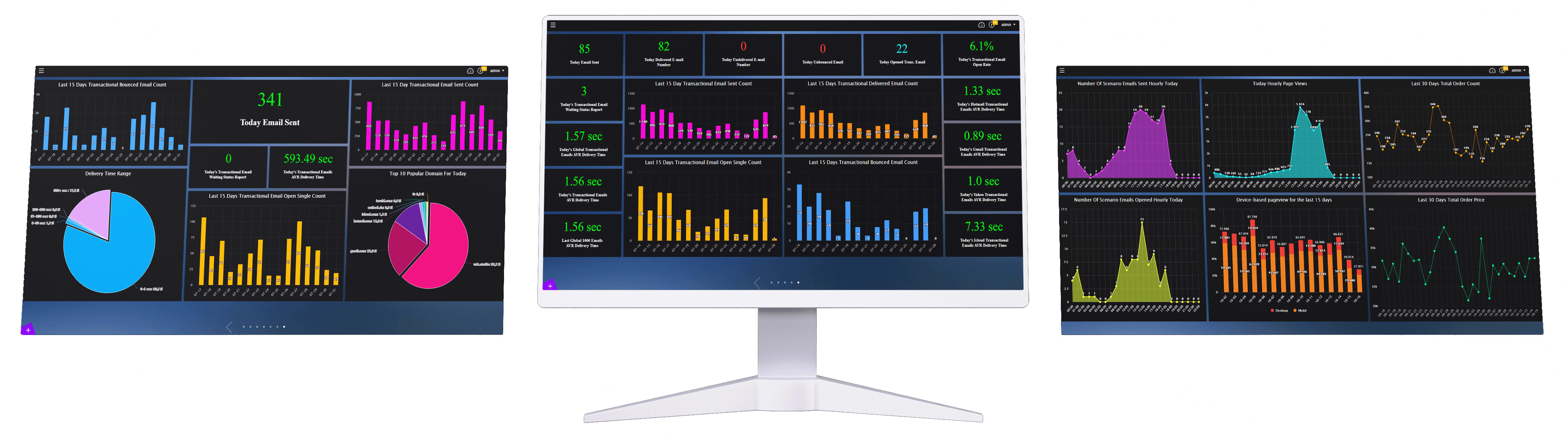


See it in action
Clean, intuitive interface designed so your whole team can build and manage push campaigns without any training.
Frequently Asked Questions
Everything you need to know.
What is WDC Browser Notification?+
WDC Browser Notification is a web push notification service that allows businesses to send real-time notifications to customers on desktop and mobile devices directly through their web browsers.
How does WDC Browser Notification work?+
After adding the required WDC code to your website, visitors can subscribe to browser notifications. You can then organize subscribers into groups and send targeted push notification campaigns.
Do customers need to install a mobile app to receive notifications?+
No. WDC Browser Notification works through modern web browsers, so customers do not need to install a separate mobile application to receive supported browser notifications.
Can I send notifications to both desktop and mobile devices?+
Yes. WDC Browser Notification is designed to deliver browser-based notifications to supported desktop and mobile devices.
How do I collect browser notification subscribers?+
After installing the WDC Browser Notification code on your website, visitors can be invited to give permission for browser notifications. Users who grant permission can then be managed as subscribers.
Do users have to give permission before receiving notifications?+
Yes. Browser notifications require user permission. Only visitors who grant the required browser permission can be included as notification subscribers.
Can I segment my browser notification subscribers?+
Yes. WDC Browser Notification allows you to organize subscribers into groups so that you can send more targeted notification campaigns.
Can I send targeted push notification campaigns?+
Yes. Subscribers can be organized into groups and targeted with relevant push notification campaigns based on your audience strategy.
Can I send notifications to millions of users?+
WDC Browser Notification is designed for high-volume notification delivery and can send notifications to millions of users within a short period, depending on the campaign and delivery conditions.
How quickly can I send a large push notification campaign?+
The service supports high-volume delivery and can send campaigns to millions of subscribers within approximately one hour, depending on the campaign and delivery conditions.
Can I track how many users received my notification?+
Yes. WDC Browser Notification provides campaign reporting that allows you to monitor sent, delivered, and undelivered notifications.
Can I see how many users viewed my notifications?+
Yes. Campaign reports include notification view information, allowing you to analyze how many subscribers saw your notifications.
Can I track notification clicks?+
Yes. WDC Browser Notification tracks notification clicks so you can evaluate user engagement and campaign performance.
What kind of reports does WDC Browser Notification provide?+
The service provides detailed campaign reports covering sent, delivered, undelivered, viewed, and clicked notifications, helping you measure campaign performance.
Can I monitor my daily subscriber growth?+
Yes. WDC Browser Notification provides subscriber growth information so you can monitor how many new browser notification users you gain over time.
Can I see how many new browser notification users I gained today?+
Yes. The service includes a dashboard gadget for monitoring the number of new browser notification users gained today.
Can I analyze subscriber growth over the last 14 days?+
Yes. WDC Browser Notification includes a report gadget that shows new browser notification user growth over the last 14 days.
Can I view long-term browser notification subscriber trends?+
Yes. The service provides a long-term subscriber growth gadget that helps you monitor browser notification user trends over an extended period.
Can I review my recent notification campaigns?+
Yes. WDC Browser Notification provides gadgets for reviewing recent campaigns and their performance.
Can I view detailed reports for individual campaigns?+
Yes. The service provides detailed campaign reporting that allows you to analyze the performance of individual notification campaigns.
Can I see the total number of notifications sent today?+
Yes. WDC Browser Notification includes a dashboard metric showing the total number of campaign notifications sent today.
Can I see the total number of delivered notifications today?+
Yes. You can monitor the total number of campaign notifications successfully delivered today through the dashboard.
Can I see how many notifications were not delivered?+
Yes. The dashboard includes information about the total number of undelivered campaign notifications.
Can I measure notification engagement?+
Yes. You can measure engagement by analyzing notification views and clicks after your campaigns are sent.
Can WDC Browser Notification be used for ecommerce?+
Yes. Browser push notifications can be used by ecommerce businesses for promotions, product announcements, customer engagement, and other marketing communications.
Can I use browser notifications for promotions and announcements?+
Yes. WDC Browser Notification can be used to deliver promotional messages, announcements, reminders, and other timely communications to subscribed users.
Can browser push notifications help increase customer engagement?+
Yes. Real-time browser notifications provide a direct communication channel that can help businesses increase user engagement and encourage customers to return to their websites.
Does WDC Browser Notification provide real-time notifications?+
Yes. WDC Browser Notification is designed to deliver real-time browser push notifications to subscribed users.
Can I use WDC Browser Notification together with other WDC services?+
Yes. WDC Browser Notification can complement other WDC marketing services, such as Marketing Automation and Banner Manager, to create a broader digital engagement strategy.
Why should I use WDC Browser Notification for my website?+
WDC Browser Notification provides a direct browser-based communication channel without requiring a separate app installation. It combines subscriber management, targeted campaigns, high-volume delivery, and detailed performance reporting in one service.
Works best alongside these services
Pair this service with these tools for a complete, end-to-end stack.

Marketing Automation
Accelerate your marketing processes with AI-powered automation! Deliver the right message to the right customer at the right time to boost conversion rates. Reduce workload and increase sales!
Explore →
Banner Manager
Personalize your website and engage your visitors! With Banner Manager, boost click-through rates and keep users on your site longer through smart banner management.
Explore →
Flex App
Turn your website into a powerful mobile app! With Flex App, seamlessly convert to PWA and analyze performance with detailed usage reports.
Explore →Latest Articles On This Topic

How AI Recommendations and Browser Notifications Work Together
See how AI recommendations and browser notifications work together to send timely product suggestions based on customer intent.

How Web Push Notifications Reduce Cart Abandonment: Strategy, Examples and HTML Templates
Recover more abandoned carts with web push notifications. See timing, copy, segmentation, and WDC flow ideas for e-commerce stores.

What Is Browser Notification? A Complete Guide for E-commerce Growth Teams
Learn what browser notifications are, how they work, and how WDC helps e-commerce teams turn site visits into timely customer actions.

Browser Notification Metrics: Opt-in Rate, CTR, Conversion and Revenue Measurement
Track browser notification performance with the right KPIs: opt-in rate, CTR, conversion, revenue, frequency, and unsubscribe signals.

Web Push Notification Infrastructure: Service Workers, HTTPS and Delivery Logic Explained
Understand the web push infrastructure behind browser notifications, from HTTPS and service workers to permission and delivery logic.

Browser Notification Segmentation: Send the Right Message to the Right User
Build smarter browser notification segments using behavior, lifecycle stage, purchase intent, and WDC audience data.

Browser Notification Message Examples: 50 Ideas for Campaign, Cart, Stock and Win-back Flows
Use 50 browser notification message ideas for campaigns, carts, stock alerts, price drops, loyalty, and win-back flows.
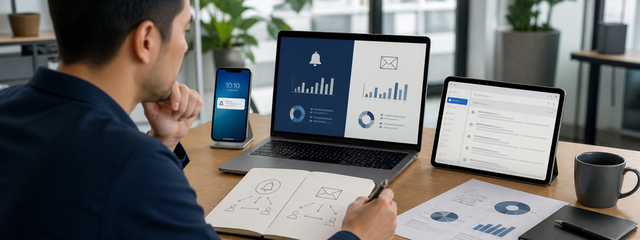
Browser Notifications vs Email Marketing: Which Channel Should You Use?
Compare browser notifications and email marketing by speed, intent, message length, cost, and the moments each channel performs best.

Browser Notifications for E-commerce: Campaign, Stock, Price Drop and Loyalty Use Cases
Explore e-commerce browser notification ideas for campaigns, price drops, back-in-stock alerts, loyalty, and repeat purchase journeys.