 WDC Pos
 Sales Hub
 Product Hub
 Inventory Management
 Whatsapp Marketing
 Marketing Automation
 Browser Notification
 Email Marketing
 Fusion Mail
 SMS Marketing
 Fusion SMS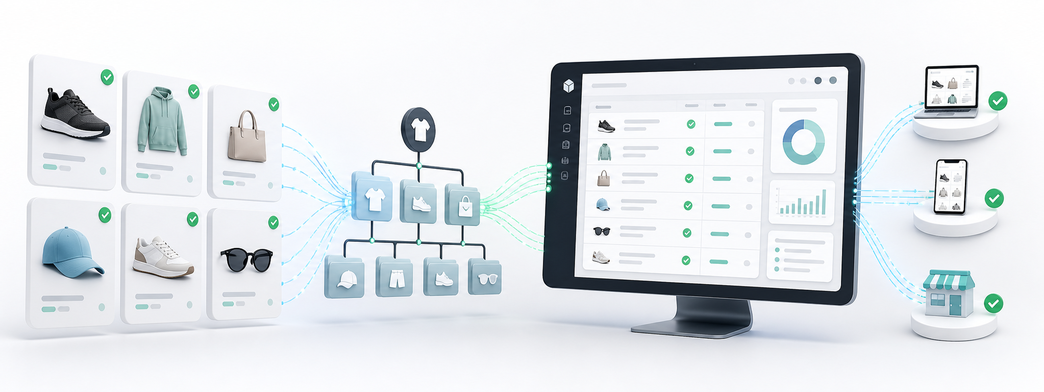
Shopify Product and Category Sync: Keep Catalog Data Ready for Growth
Use Shopify product and category sync to keep WDC Studio catalog operations, product management and marketing workflows accurate as your store grows.
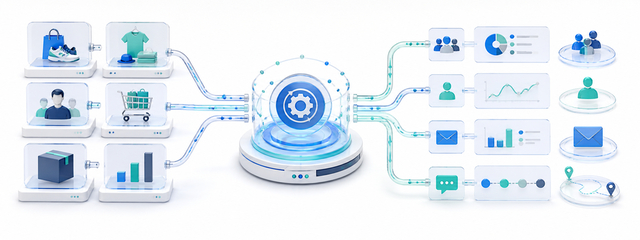
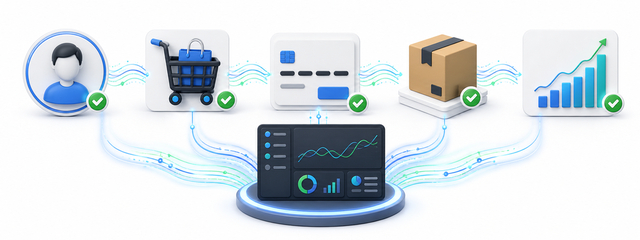
Shopify product and category sync becomes important when a business is keeping Shopify product and category data consistent inside WDC Studio. Shopify may be the storefront and commerce engine, but e-commerce teams rarely work in Shopify alone. They also need product data for catalog management, customer data for segmentation, cart data for journey analysis, order data for operations and sales data for revenue decisions.
Catalog updates happen in Shopify, but product management, analytics, campaign planning and automation workflows need the same product structure elsewhere. When that gap stays open, teams build workarounds with exports, manual uploads, copied reports and one-off spreadsheets. The store keeps running, but the operating rhythm becomes slower because every team has to ask whether the file in front of them is current.
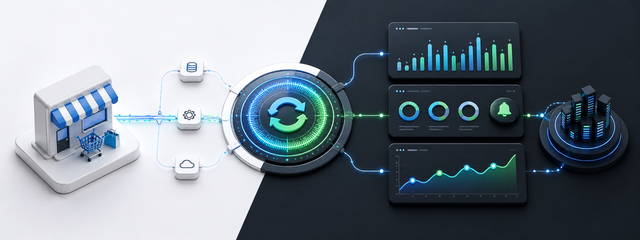
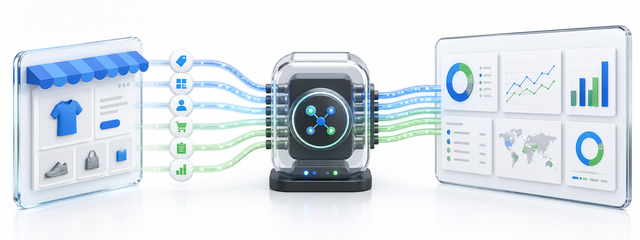
A Shopify connector solves that problem by moving approved store data into a connected operating environment. The WDC service page describes Shopify Connector as a way to transfer Shopify products, customers, members, cart activity, orders, sales and category information into WDC Studio. It also highlights transfer frequency reports, last sync and health status, automatic alerts and graphical daily transfer reports.
The practical outcome is clear: teams can use a cleaner catalog foundation before they segment, analyze, personalize or automate commerce workflows. A useful Shopify integration covers three layers at the same time: the data that moves, the teams that use it and the monitoring signals that prove the flow still works.
Why Shopify data needs a central operating layer
Shopify gives a store the foundation to sell online. As the business grows, the team around the store expands. Product managers update catalogs, marketers plan campaigns, analysts review purchase behavior, CRM teams build segments, customer support teams check orders and operations teams follow fulfillment signals. Each team needs a different slice of the same commerce data.
Manual transfer creates a timing problem. One team exports customers in the morning, another exports orders after lunch, and a third team works from last week’s product file. Each export may be accurate at the moment it was created, yet the business loses a shared view of the store. A monitored connector gives teams a more dependable flow from Shopify into WDC Studio.
The central layer matters because Shopify data has more value when it can travel. Product and category data can support product management and personalization. Customer and member data can support segmentation. Cart, order and sales data can support automation, analytics and journey improvement. The connector turns store activity into usable input for the rest of the digital operation.
Data types that matter in a Shopify integration
| Data type | How teams use it in WDC Studio | Risk without a clean flow |
|---|---|---|
| Product data | Product names, identifiers, attributes and catalog fields support Product Hub, campaign setup and product analysis. | Catalog decisions rely on exported files that may lag behind the store. |
| Category data | Category structure helps teams organize products, report on groups and create more relevant audiences. | Campaigns and reports lose context when products do not carry a reliable category layer. |
| Customer and member data | Customer records support customer management, segmentation and communication workflows. | CRM and marketing teams build audiences from partial or outdated lists. |
| Logged-in user data | User activity gives teams a clearer view of known visitors and returning customers. | Teams miss behavior signals tied to identifiable users. |
| Cart data | Cart activity shows in-progress purchase intent and can support journey analysis. | The business sees only completed orders and misses earlier buying signals. |
| Order and sales data | Orders and sales support revenue reporting, automation triggers and commercial decisions. | Teams reconcile numbers from separate exports and delayed reports. |
These flows connect to Shopify product sync, Shopify category sync and catalog synchronization. Searchers may use different wording, but most of them want the same result: Shopify data that reaches the systems where daily decisions happen.

How a Shopify to WDC Studio workflow can run
- Start with the data objects that have the highest operational value. Product and category data often matter first for catalog teams. Customer, cart, order and sales data often matter first for marketing, analytics and revenue teams.
- Map the fields that WDC Studio services need. A connector works best when it sends useful fields, not every field that exists. Product identifiers, customer IDs, order status, sales totals, category links and cart signals deserve careful review.
- Set a transfer rhythm that matches the business. A fast-moving store may need frequent order, sales and cart updates. A smaller catalog may only need product and category updates when the catalog changes.
- Watch the last successful sync. A visible last sync status gives teams a simple confidence check before they launch a campaign, read a report or trigger a customer journey.
- Use alerts for issues that need action. Alerts protect the workflow only when they reach the people who can investigate the connector, pause a dependent process or check the data source.
- Read graphical daily reports. Charts help teams see whether data volume looks normal, whether a day is missing and whether a transfer pattern changed after a store update or campaign launch.
How WDC Shopify Connector fits this need
WDC Shopify Connector is built for businesses that want Shopify data to flow into WDC Studio through a central connector. The service page highlights product data sync, member and customer sync, logged-in user data, shopping cart data, sales and order sync, transfer frequency reports, last sync and health status, automatic alerts and graphical daily reports.
That combination gives e-commerce teams both data movement and data visibility. A connector that only transfers records can still leave teams guessing. WDC Shopify Connector adds reporting signals so teams can see how often data flows, when the last transfer happened and whether something needs attention.
The connector also links Shopify data to compatible WDC Studio services. Product data can support Product Hub. Customer data can support segmentation. Cart, order and sales data can support analytics, automation and customer communication. The value grows when teams stop rebuilding exports and start using one connected data foundation.
How teams search for this problem
Teams search for Shopify integration when a practical problem slows the store. A marketer may search for Shopify customer data sync because audience lists lag behind. An e-commerce manager may search for Shopify order sync because reporting does not match store activity. A CRM owner may search for cart data integration because in-progress purchase intent does not reach automation workflows.
A useful answer has to connect those searches to the operating details: which Shopify data moves, how the team monitors the transfer, how errors surface and how the data becomes useful inside WDC Studio after it arrives.

FAQ
What is Shopify Connector?
Shopify Connector is an integration service that connects a Shopify store with WDC Studio and transfers e-commerce data to a WDC account.
Which Shopify data can be transferred?
The WDC service page highlights products, categories, customers, members, logged-in user data, cart activity, orders and sales data.
Can Shopify data be monitored after transfer?
Yes. Shopify Connector includes reporting for transfer frequency, last sync and health status, alerts and graphical daily reports.
Does Shopify Connector reduce manual work?
Yes. The connector reduces repetitive exports, imports and manual updates between Shopify and WDC Studio.
Field mapping deserves care because small mismatches can affect many workflows. A product ID that differs between systems, a category name that changes without warning or an order status that means different things in different tools can create avoidable confusion. Teams should test the connector with real products, real customers, recent carts and completed orders before relying on it for daily work.
Customer data needs a clear access model. Not every team needs every field from Shopify. Marketing may need consent-safe segmentation attributes, support may need order context and analytics may need behavior signals. A clean integration gives the business useful data without turning every downstream tool into a copy of the storefront database.
Cart data often gives the earliest signal of purchase intent. If a customer adds a product to the cart and leaves, the business can learn which products generate consideration, which categories create friction and which journeys need improvement. When cart data reaches WDC Studio, teams gain more context than order data alone can provide.
Order and sales data need consistent status rules. Created, paid, fulfilled, refunded and cancelled orders can drive different decisions. Before automation or reporting uses those records, the business should agree on which status matters for each workflow.
Graphical transfer reports help non-technical teams participate in integration monitoring. A business user may not read logs, but they can notice a missing day, a sudden drop or an unusual spike. This makes sync health part of the operating routine rather than a hidden technical concern.
The best rollout usually starts with a narrow set of high-value flows. A store that struggles with catalog accuracy can begin with product and category sync. A team focused on lifecycle marketing can begin with customer, cart, order and sales data. Each successful flow creates trust for the next one.
After launch, teams should review whether manual exports have actually decreased. If employees still request files every week, the connector may need better field coverage, clearer documentation or more visible reporting. Adoption proves the integration is solving the real problem.
Shopify integration also supports scale. A small team can handle a few exports when the store is young. As sales channels, campaigns, products and customer segments grow, manual data movement turns into a bottleneck. A managed connector keeps the operating model cleaner as volume increases.
The connector does not replace e-commerce strategy. It gives teams better input. Better input helps a marketer choose the right audience, helps an analyst explain revenue movement, helps a product manager maintain catalog quality and helps an operations owner catch problems sooner.
The final measure is whether teams trust the data. When product, category, customer, cart, order and sales records arrive in a consistent structure, teams spend less time reconciling files and more time improving the store experience.
Before the connector becomes part of daily operations, the team should agree on a simple release checklist. The checklist can include which data objects are active, which fields are mandatory, who receives alerts, which WDC Studio services use the feed and how the team validates a sample record after a change. A short checklist prevents the integration from depending on one person’s memory.
Store changes should also trigger a data review. A new product type, a category restructure, a checkout customization or a change in customer fields can affect downstream workflows. When the team reviews those changes alongside connector monitoring, they catch issues before a campaign or report exposes the problem.
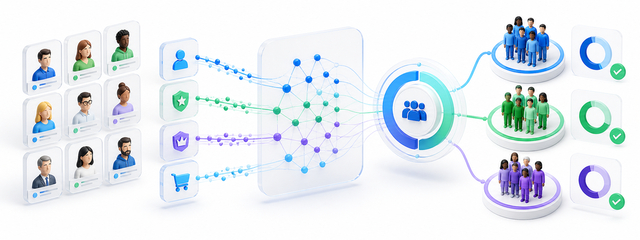
Segmentation improves when the team combines commerce behavior with timing. A customer who bought last month, a member who logged in this week, a visitor with recent cart activity and a buyer with repeated category interest may each need a different message. The connector gives WDC Studio the commerce signals needed to create those differences with more confidence.
Analytics teams benefit from consistent naming. If category, product, order and sales fields arrive with stable names, reports become easier to compare across weeks. If labels change without a rule, every report cycle requires extra cleaning. Stable integration rules make analysis less fragile.
Customer communication also depends on freshness. A message based on yesterday’s cart, last week’s order status or an outdated product category can feel irrelevant. Fresh Shopify data helps teams time communication closer to the customer’s current context.
Operational ownership matters after launch. The e-commerce team understands store behavior, the technical team understands the connector and the marketing team understands downstream use. A short monthly review across those owners can keep data quality visible without turning integration management into a heavy process.
Documentation should stay readable. A practical note that explains which Shopify data flows, how often it transfers, where health status appears and which workflows depend on it will help new team members use the connector without guessing.
As the business adds more WDC Studio services, the connector can become a shared foundation. Product Hub, Audience Center, analytics, automation and customer communication do not need to rebuild the same Shopify extract separately. They can work from the same connected source, with the same monitoring signals behind it.