 WDC Pos
 Sales Hub
 Product Hub
 Inventory Management
 Whatsapp Marketing
 Marketing Automation
 Browser Notification
 Email Marketing
 Fusion Mail
 SMS Marketing
 Fusion SMS
What Is SAP Connector? A Practical Guide to Syncing SAP Data with WDC Studio
Learn how SAP Connector syncs products, inventory, customers, orders and sales data with WDC Studio while tracking sync health, alerts and reports.
SAP Connector matters when a company is connecting SAP infrastructure with WDC Studio so commercial data can support daily digital operations. SAP usually contains the commercial truth of the business: product records, inventory levels, customer files, order activity and sales data. Digital teams need that truth inside the systems where they plan campaigns, update catalog views, analyze revenue and communicate with customers.
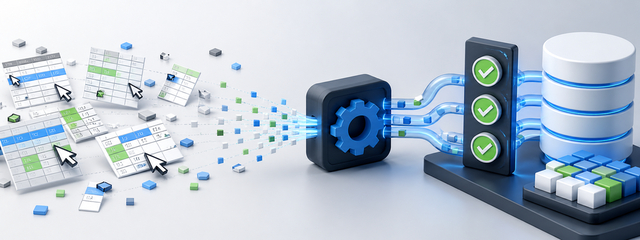
Product, stock, customer, order and sales records stay inside SAP while marketing, analytics and customer communication teams work in separate systems. When that gap stays open, people compensate with exports, spreadsheets, manual uploads and side reports. Those workarounds feel practical at first, but they create timing differences and make it hard to know which system has the current record.
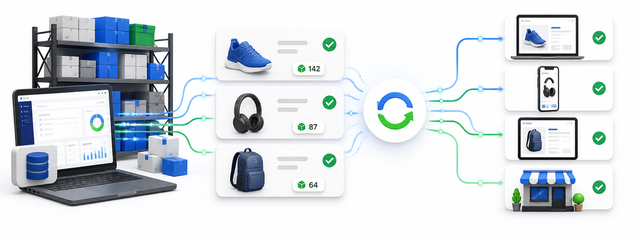
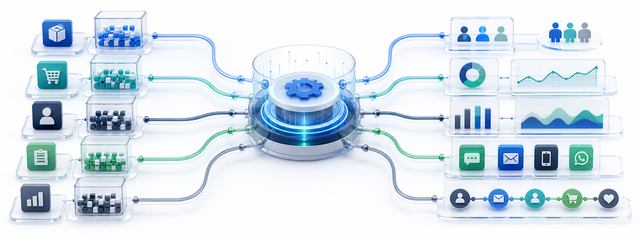
The role of an SAP connector is to move approved SAP data into another operating environment with structure, monitoring and repeatability. On the WDC service page, SAP Connector is described as a way to transfer product, customer, inventory, order, sales and other commercial data from SAP into WDC Studio, with transfer frequency reports, last sync status, alerts and graphical daily reports.
The result is simple: the business gets one cleaner data flow from SAP into the WDC Studio ecosystem, with less manual entry and better visibility. The practical work is to define the operating model, identify the data types that matter, watch the right reporting signals and answer the workflow questions that decide whether SAP integration is ready for daily use.
Why SAP data needs a controlled connector
SAP is often the system that finance, operations, purchasing, warehouse, product and sales teams trust. It stores structured business data because the company needs reliability. Marketing and digital teams, however, work in a faster environment. They need current catalog data, customer status, order history, sales movement and stock availability without waiting for a manual export.
A controlled connector prevents that speed from damaging data quality. Instead of copying information by hand, the business defines which SAP data should flow, where it should land, how often it should transfer and how the team will know the transfer succeeded. This gives operational teams a stable process and gives digital teams fresher data.
The important point is not only technical connectivity. The business also needs trust. A connector should make it clear when data last moved, how much data arrived, whether a transfer failed and who needs to act when something breaks. Without those signals, an integration can look active while downstream teams work with incomplete records.
Data types that usually matter most
| Data type | Why teams need it in WDC Studio | Common risk without sync |
|---|---|---|
| Product data | Product names, categories, identifiers and catalog attributes support product management and digital workflows. | Catalogs drift when product teams update SAP but digital systems lag behind. |
| Inventory and stock | Stock levels help teams avoid promoting unavailable items and support operational visibility. | Campaigns and product surfaces can create demand for products that cannot be fulfilled. |
| Customer records | Customer data can support customer management, segmentation and communication workflows. | Teams build audiences from outdated or incomplete customer files. |
| Orders | Order data helps sales and operations teams read current activity and customer behavior. | Reports and customer journeys miss recent purchases or order movement. |
| Sales data | Sales information supports revenue reporting, commercial analysis and performance decisions. | Teams compare numbers from different exports and lose time reconciling them. |
These flows connect directly to SAP data sync, SAP integration and SAP to WDC Studio. Searchers may use different wording, but the underlying need is the same: SAP data should reach the digital systems where teams make daily decisions.
What a useful SAP to WDC workflow looks like
Operational questions before launch
| Question | Decision to make |
|---|---|
| Who owns the integration? | Assign one business owner and one technical owner. The business owner defines whether the data is useful; the technical owner investigates transfer issues. |
| Which records are source of truth? | Clarify which values should come from SAP and which values may be enriched inside WDC Studio or another service. |
| How will failed transfers be handled? | Decide whether downstream campaigns pause, reports carry a warning, or teams receive a direct alert when sync health changes. |
| How will teams validate accuracy? | Run spot checks on product, stock, customer, order and sales records before full reliance. Validation builds trust across teams. |
| Which WDC services will use the data? | Product Hub, Sales Hub, segmentation, analytics, automation and customer communication workflows may each need different parts of the SAP data set. |

How WDC SAP Connector fits this need
WDC SAP Connector is designed for businesses that want SAP data to flow into WDC Studio through a central integration service. The service page highlights product data sync, inventory and stock sync, customer sync, order sync, sales data sync, transfer frequency reports, last sync and health status, automatic alerts and graphical daily reports.
That combination is useful because the connector does more than move data. It also helps teams see whether the data flow is healthy. A marketing team planning segmentation, an e-commerce team updating catalog experiences, a sales team reviewing activity and an operations team checking stock all depend on the same basic condition: current data has to arrive when expected.
WDC Studio also has services that can use transferred SAP data for product management, analytics, automation and customer communication. The connector becomes the bridge between the ERP layer and the digital execution layer. That bridge reduces manual work and gives teams a clearer view of the commercial process.
How teams search for this problem
Teams rarely look for an SAP connector because they want another integration label. They look for one because product, stock, customer, order or sales data is not reaching the systems where daily work happens. The search may start with SAP data sync, ERP integration, stock synchronization, last sync status or manual data entry errors, but the business need is current and trusted data.
A useful SAP integration workflow connects that problem to operating details: which data moves, how often it moves, how the team sees transfer health, what happens when an alert appears and how the data supports WDC Studio services after it arrives.

FAQ
What is SAP Connector?
SAP Connector is an integration service that transfers approved SAP data such as products, inventory, customers, orders and sales into WDC Studio.
Which SAP data can be transferred?
The WDC service page highlights product data, inventory and stock, customer records, orders, sales data and other compatible commercial data.
Why does last sync status matter?
Last sync status shows when data last moved. It helps teams avoid using stale records in campaigns, reports and operational workflows.
How does SAP Connector reduce manual work?
It replaces repeated exports, imports and manual updates with a managed transfer flow between SAP and WDC Studio.
Data governance should stay practical. Teams do not need a heavy committee for every field, but they do need clear rules for required identifiers, update timing, ownership and exception handling. A connector works best when each downstream team knows what it can trust and what still needs business review.
Testing should include normal records and awkward records. Check a simple product, a product with variants, a customer with recent orders, a stock item that changed today and a sales record that affects reporting. These checks catch mapping problems before they become everyday friction.
Integration work also benefits from plain-language documentation. A short record of which data flows, how often it moves, where alerts appear and who responds to issues can save hours during a campaign launch or reporting close.
As the business grows, the connector should support scale without making every new workflow dependent on manual exports. The value compounds when teams stop rebuilding the same SAP extract for each new campaign, report or service connection.
Field mapping deserves careful review because small mismatches can affect many teams. A product identifier that does not match the digital catalog, a customer ID that changes between systems or a sales status that carries a different meaning can create reporting friction. Before launch, teams should agree on the fields that matter most and test them against real records.
Stock-sensitive businesses should pay special attention to timing. If inventory changes quickly, a delayed transfer can affect product availability, campaign targeting and customer expectations. The right sync frequency depends on how fast the business sells, how often stock changes and how much risk comes from promoting unavailable products.
Customer data also needs thoughtful handling. Teams should decide which SAP customer attributes support segmentation, communication and analysis, and which fields should stay out of downstream marketing tools. This keeps the integration useful without creating unnecessary data noise.
Order and sales data work best when teams agree on status definitions. A created order, confirmed order, shipped order and cancelled order may each support a different workflow. If those statuses collapse into one generic sales number, the business loses the detail needed for accurate automation and reporting.
Alert design should avoid fatigue. If every minor delay triggers the same warning, teams stop paying attention. Useful alerts separate routine transfer timing from issues that affect campaigns, reports, customer journeys or operational decisions.
After launch, review integration performance in regular business language. Ask whether the data arrived when teams needed it, whether reports matched expectations, whether manual work decreased and whether any downstream service still required a separate export. Those answers show whether the connector is improving the operating model.
Security and access should be handled with the same clarity as field mapping. Not every person who uses WDC Studio needs to see every SAP-derived field. Teams should separate operational visibility from broad access, especially when customer and sales data are involved.
The most useful integrations become part of the business routine. Teams stop asking for files, stop checking multiple exports and start reading one shared flow. That is the real operating benefit of connecting SAP to WDC Studio through a managed connector.
A good rollout usually starts with one or two high-value flows instead of every possible object. Product and stock data may be the first priority for an e-commerce team, while customer and order data may matter more for CRM and sales operations. Starting with the highest-value flow makes testing easier and creates a clear proof point for the next phase.
Teams should define what happens when SAP data conflicts with data already stored elsewhere. If a product title, stock count or customer attribute differs between systems, the business needs a rule for which source wins. Without that rule, employees spend time debating records instead of improving the process.
The connector also gives managers a better way to discuss operational readiness. Instead of asking whether someone uploaded the latest file, they can ask whether the transfer ran, whether the last sync is current, whether daily volume looks normal and whether alerts are quiet for the right reasons.
Marketing teams benefit when SAP data becomes usable without extra preparation. Product availability can influence campaign selection, customer records can improve segmentation, and sales data can help teams understand which offers create real commercial movement. The connector does not replace strategy; it gives strategy better input.