
 WDC Pos
 Sales Hub
 Product Hub
 Inventory Management
 Whatsapp Marketing
 Marketing Automation
 Browser Notification
 Email Marketing
 Fusion Mail
 SMS Marketing
 Fusion SMS
How to Increase Browser Notification Opt-in Rates Without Hurting User Experience
Improve browser notification opt-ins with better timing, clearer value, and consent-first UX that earns trust before asking permission.
The opt-in rate improves when the visitor understands why the notification will help them. A browser permission prompt with no context feels like a demand. A request tied to a useful moment feels like a service. The difference comes from timing, copy, page context, and respect for the user’s choice.
browser notification opt-in rate should be treated as a permission-based customer communication channel, not a bulk traffic shortcut. The best programs connect a clear customer trigger with a specific page, such as a cart, a product, a category, an order update, or a recommendation. That structure helps users understand the message and helps search engines understand the page topic.
Ask after value, not before it
Many sites ask for notification permission on the first page view. That wastes the moment. A visitor who has not seen the products, prices, delivery promise, or content has little reason to accept. Wait until the visitor shows intent: favoriting a product, checking availability, joining a sale page, tracking an order, or viewing a category more than once.
A strong notification program starts with a real customer action: viewed product, abandoned cart, saved item, price watch, loyalty balance, or repeat purchase cycle. The action tells the team which message belongs in the browser notification.
Use a soft prompt first
A soft prompt explains the benefit before the browser prompt appears. It might say, 'Get a reminder when this item is back in stock' or 'Send me price drop alerts for this product.' If the user clicks yes, the native browser permission request follows. This approach gives the visitor context and reduces blind declines.
Cart recovery needs timing and checkout context. Channel comparison needs speed, cost, and use-case clarity. Technical implementation needs permission, service worker, and delivery details in plain language.
Match the promise to the page
The permission request should reflect the user’s current job. On a product page, promise stock or price updates. On a checkout page, promise order and cart reminders. On a content page, promise new guide alerts. Generic lines such as 'Allow notifications' make the user do the work. Specific copy tells them what they get.
The notification click should lead to the page promised by the message. A cart reminder belongs on the cart page. A stock alert belongs on the product page. A recommendation belongs on a product list that reflects the user’s behavior.
Control frequency from the start
Users decline or unsubscribe when they expect noise. State the type of notification and keep the volume low. A brand does not need to promise a number in the prompt, but the team should set internal frequency caps. Permission is easier to earn when the program does not depend on constant broadcasts.
Audience rules keep the channel useful. A returning shopper, a loyalty member, and a first-time visitor should not receive the same message unless they share the same intent.
Measure opt-in quality
A high opt-in rate can still produce weak results if the permission was earned through a vague or aggressive prompt. Track the conversion behavior of subscribers, not only the acceptance rate. Compare opt-ins from product pages, cart pages, campaign pages, and account areas to find the moments that bring better customers.
Product screenshots, anonymized campaign results, real message variants, and before-after flows make browser notification strategy easier to evaluate before launch.
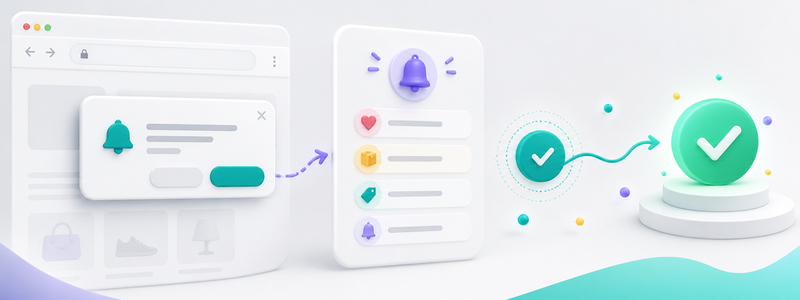
WDC implementation angle
Use WDC Browser Notification to create opt-in journeys by context. The team can test message timing, subscription source, and segment rules while keeping the promise tied to the customer action that created the permission.
Search queries and engagement data reveal which use cases deserve more space. If cart recovery queries bring the most qualified visits, cart examples should carry more of the page.
Message examples
- Cart: The item you chose is still in your cart.
- Back in stock: Your saved product is available again.
- Price drop: A product you viewed now has a lower price.
- Loyalty: Your member benefit is ready to use.
- Win-back: New arrivals match the category you viewed.
KPIs to track
| KPI | What it tells you | What to improve |
|---|---|---|
| Opt-in rate | How many visitors grant permission | Prompt timing and value promise |
| CTR | How many subscribers click | Segment, headline, offer, and send time |
| Conversion rate | How many clickers complete the goal | Landing page match and checkout friction |
| Unsubscribe rate | Whether frequency or relevance is hurting trust | Caps, suppression rules, and message quality |
Implementation checklist
- Define the user action that should trigger the notification.
- Write one message for one segment instead of one message for the whole audience.
- Set a frequency cap before the first campaign goes live.
- Match the click destination to the exact promise in the notification.
- Track conversion and unsubscribe behavior together.
Common mistakes to avoid
The most common mistake is asking for permission before the visitor understands the benefit. The second is sending campaign messages to every subscriber because the list exists. A third mistake is measuring only clicks. A notification program should protect trust, help the user return to a relevant page, and create a measurable business result.
Another weak pattern is using urgency when there is no real urgency. Fake countdowns and vague scarcity may earn short-term clicks, but they train users to distrust the channel. Use urgency for stock, campaign deadlines, delivery cutoffs, and time-limited benefits that the customer can verify on the landing page.
FAQ
Is browser notification the same as push notification?
Browser notification is a web-based form of push notification. It uses browser permission and web push infrastructure instead of a native mobile app install.
Should every subscriber receive every notification?
No. Send notifications by segment, behavior, and message intent. Broad sends create fatigue and reduce long-term channel value.
Where should the notification click go?
The click should lead to the page promised by the message: cart, product, category, account, order, or recommendation page.
Customer fatigue usually comes from weak targeting, not from the notification format itself. A brand can protect the channel by excluding recent buyers from acquisition offers, suppressing users who ignored several messages, and pausing segments after an unsubscribe signal.
Technical complexity becomes manageable when each role owns a clear part of the system. Product teams handle permission and page behavior, marketing teams define segments and copy, and analytics teams connect clicks to purchases, revenue, and opt-outs.
WDC Browser Notification can support campaign setup, audience targeting, automation, measurement, and customer journey orchestration. That makes the service relevant when a team wants to move from occasional broadcasts to behavior-based notification flows.
Decision rules make the channel easier to manage. Timing rules decide when the first and second reminders go out. Segmentation rules decide who receives the message. Measurement rules decide whether a flow deserves more volume or a rewrite.
A new visitor should not see a browser permission prompt before the store has earned attention. Show the product range, delivery promise, or campaign value first; then use browser notification opt-in rate to offer alerts that match the page they explored.
Returning shoppers give the brand useful context. If they viewed the same category twice, browser notification opt-in rate can bring them back to that category with a relevant product cue instead of a generic sale announcement.
Cart abandoners need a shorter path, not a louder message. The strongest recovery notification sends them back to the cart with products, price, and checkout step preserved.
Price watchers respond to honesty. Send the notification when the price change is real, show the product that changed, and avoid discount language that the landing page cannot prove.
Back-in-stock alerts work when the variant matches. Size, color, location, or subscription preference should feed the message so the user does not click into another unavailable product.
Loyalty members need reminders tied to usable value. Points, early access, birthday rewards, or member-only stock alerts can make browser notification opt-in rate feel like a benefit rather than a campaign push.
Dormant customers need a reason to return. A new collection, a replenishment reminder, or a product improvement often feels more credible than a broad discount after months of silence.
High-value baskets deserve margin protection. Before offering a coupon, test service messages such as free delivery thresholds, return reassurance, payment options, or stock reservation.
Mobile visitors need short copy and fast pages. A notification can win the click, but the product page must load fast enough for the user to continue the action without friction.
Campaign visitors should receive messages that match the offer that brought them in. If the entry point was a seasonal sale, the notification should use the same category, deadline, or benefit.
Product researchers often need confidence cues. Review snippets, comparison notes, availability, warranty, or delivery details can make the next notification more useful than another price line.
Repeat buyers create timing signals. Replenishment reminders, complementary product suggestions, and category refresh alerts work better when they follow the customer’s normal purchase rhythm.
Support-sensitive customers need clarity after the click. Delivery, return, warranty, and payment details should be easy to find on the destination page before the customer is asked to buy.
AI recommendation flows can turn browsing signals into product suggestions. browser notification opt-in rate becomes stronger when the recommendation reflects recent intent rather than a static bestseller list.
Seasonal shoppers care about deadlines they can verify. Shipping cutoff, campaign end, store pickup windows, and limited stock should appear only when the destination page confirms the same detail.
Content readers may not be ready to buy. Guide updates, category education, or product comparison alerts can keep the relationship useful until purchase intent becomes clearer.
Category browsers should return to curated pages. A notification that opens a relevant collection works better than one that sends the user back to the homepage.
First-time buyers need trust before urgency. Payment security, delivery promises, return policy, and customer support details can reduce hesitation better than a rushed discount.
VIP customers should receive benefits that feel earned. Early access, reserved stock, or member-only recommendations can support exclusivity without sounding artificial.
Low-stock viewers need accurate context. State the stock situation clearly, avoid fake scarcity, and send the user to the exact item that triggered the alert.
Checkout visitors respond to fewer decisions. If the user left after choosing payment or delivery, the next notification should remove uncertainty rather than introduce a new offer.
Category sale alerts need clean targeting. A user who browsed running shoes should not receive the same message as a user who browsed formal wear unless the campaign covers both categories with separate landing paths.
Order-related notifications should stay separate from promotional flows. Delivery updates, pickup reminders, and return instructions build trust when they do not compete with discount messages.
Product launch notifications work best for users who showed interest in the category before launch. A small qualified audience often beats a large subscriber list with weak intent.
Permission timing deserves its own test plan. Product pages, cart pages, account areas, and campaign landing pages each create a different reason to subscribe, so the prompt should use the value the visitor can already see.
Send frequency should follow customer state, not only campaign pressure. A user who ignored two cart reminders needs a pause or a different message, while a price watcher may still welcome a single verified price update.
Landing page quality determines whether the click becomes revenue. The page should confirm the same product, price, stock status, delivery promise, or benefit named in the notification before asking the user to make another decision.
Message clarity improves when the team removes extra campaign language. The notification needs a specific trigger, a short reason to return, and a destination that proves the message was worth opening.
Audience exclusions are as important as audience inclusions. Recent buyers, open support cases, unavailable variants, and users who opted out of a related flow should be filtered before the campaign reaches them.
Stock accuracy protects trust. A back-in-stock message should only go out when the selected size, color, or location is available, and the product page should show that availability the moment the user lands.